Board governance, finally in sync.
BoardSync brings meetings, board packs, approvals, votes, minutes, signatures, reporting, messaging, and AI assistance into one secure governance workspace.
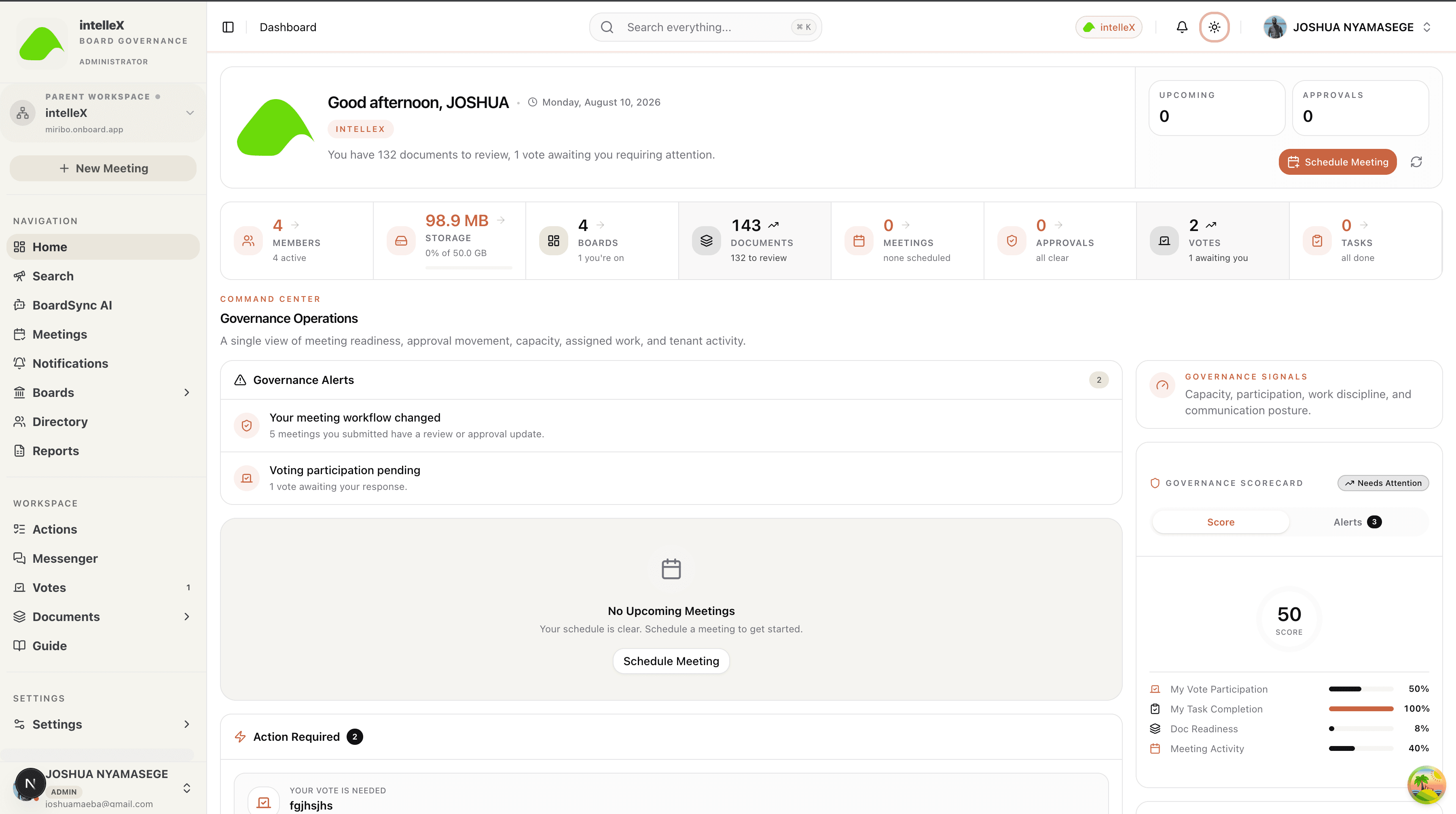
Workspace command center
Governance dashboard
A focused operating view for approvals, board-pack reviews, votes, tasks, messages, recent activity, and governance health.
Set up in minutes
Start with the organisation profile, then configure boards, committees, users, subsidiaries, permissions, document controls, and AI only where the tenant enables it.
- 01
Workspace setup
Create a tenant, add the organisation profile, apply branding, invite the first administrator, and keep subsidiaries separated where governance requires it.
- 02
Boards and committees
Model the board structure, committee membership, quorum rules, meeting policies, and role-based permissions that drive the rest of the system.
- 03
Secure user access
Support internal users and guests with scoped visibility so members only see the meetings, documents, votes, reports, and chats assigned to them.
- 04
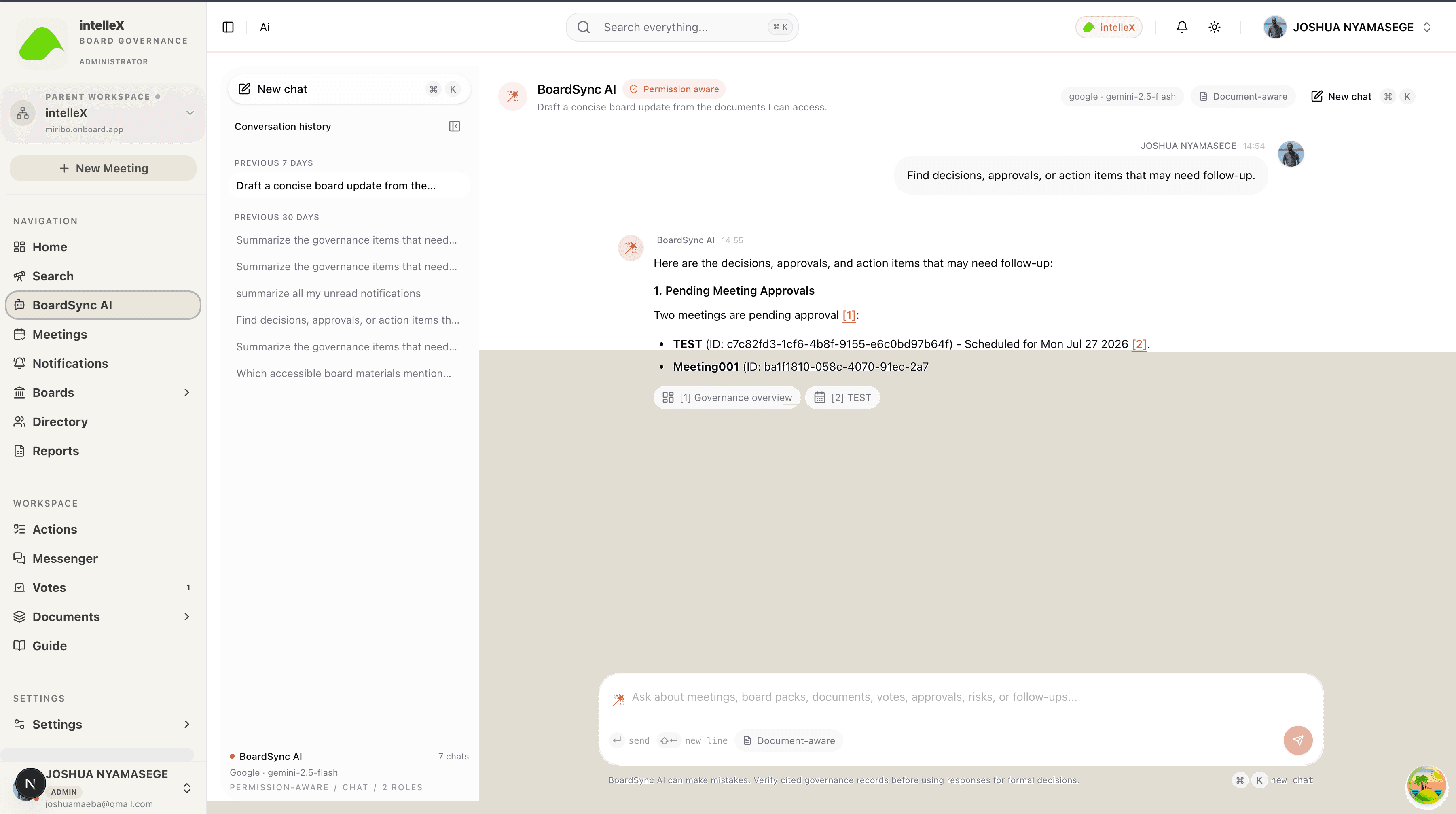
Tenant-configured AI
Tenant admins choose the AI provider, models, and API keys. BoardSync AI then respects document permissions and cites governed sources.
Run the process, not just the event
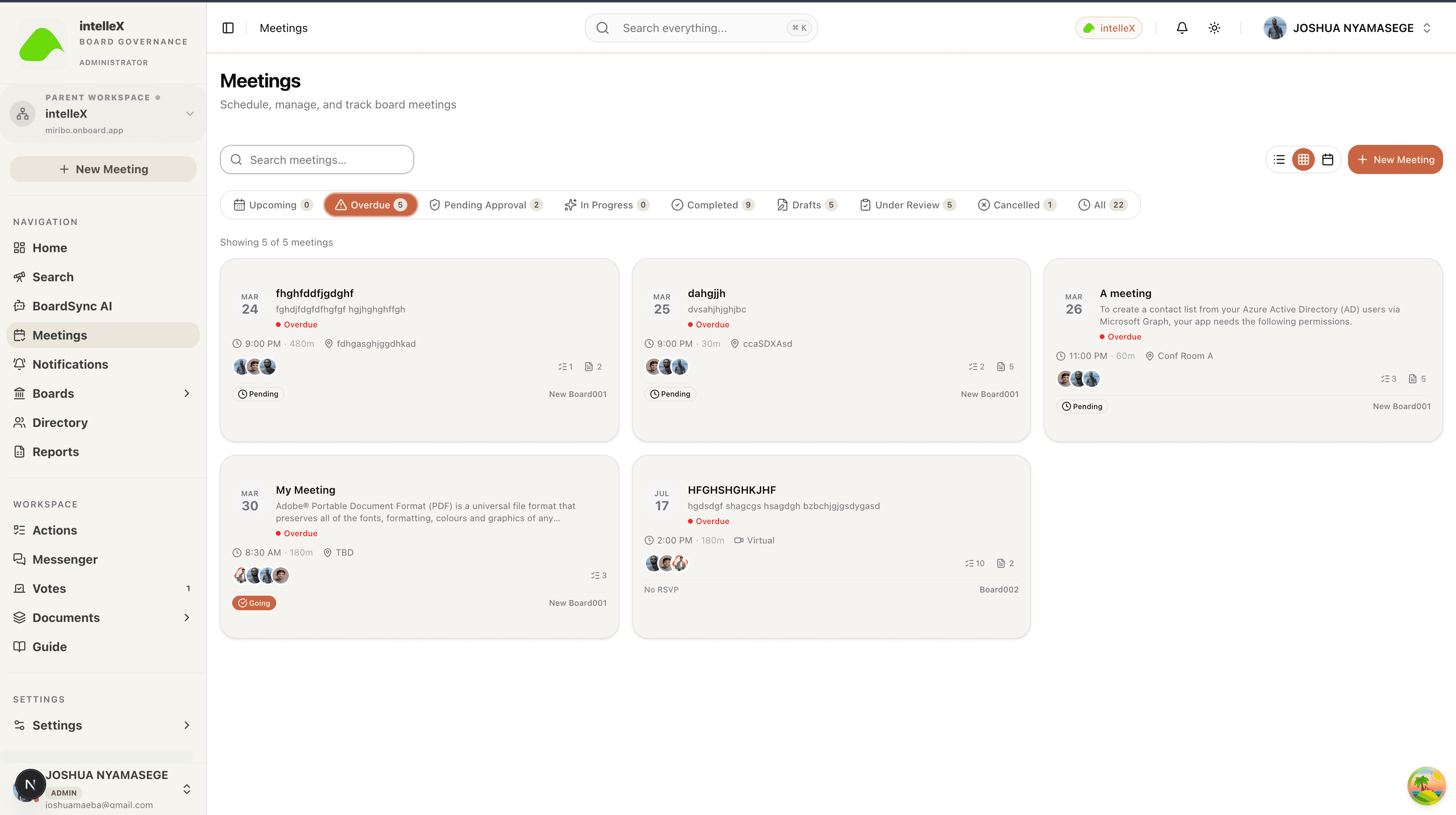
BoardSync keeps draft material, internal review, formal approval, director review, live meeting execution, and post-meeting records in the proper order.
(Draft)
Prepare
Schedule the meeting, create the agenda, invite attendees, and collect supporting material.

(Internal review)
Review
Route the draft board pack to internal reviewers before formal approval.

(Controlled gate)
Approve
Submit reviewed material to the selected approver and preserve the approval trail.

(Versioned)
Publish
Issue the official board pack, notify members, and track director review.

(Meeting day)
Run
Manage attendance, quorum, votes, minutes, actions, and the live meeting room.

(Audit ready)
Evidence
Archive records, export reports, and keep every action tenant-scoped for audit.

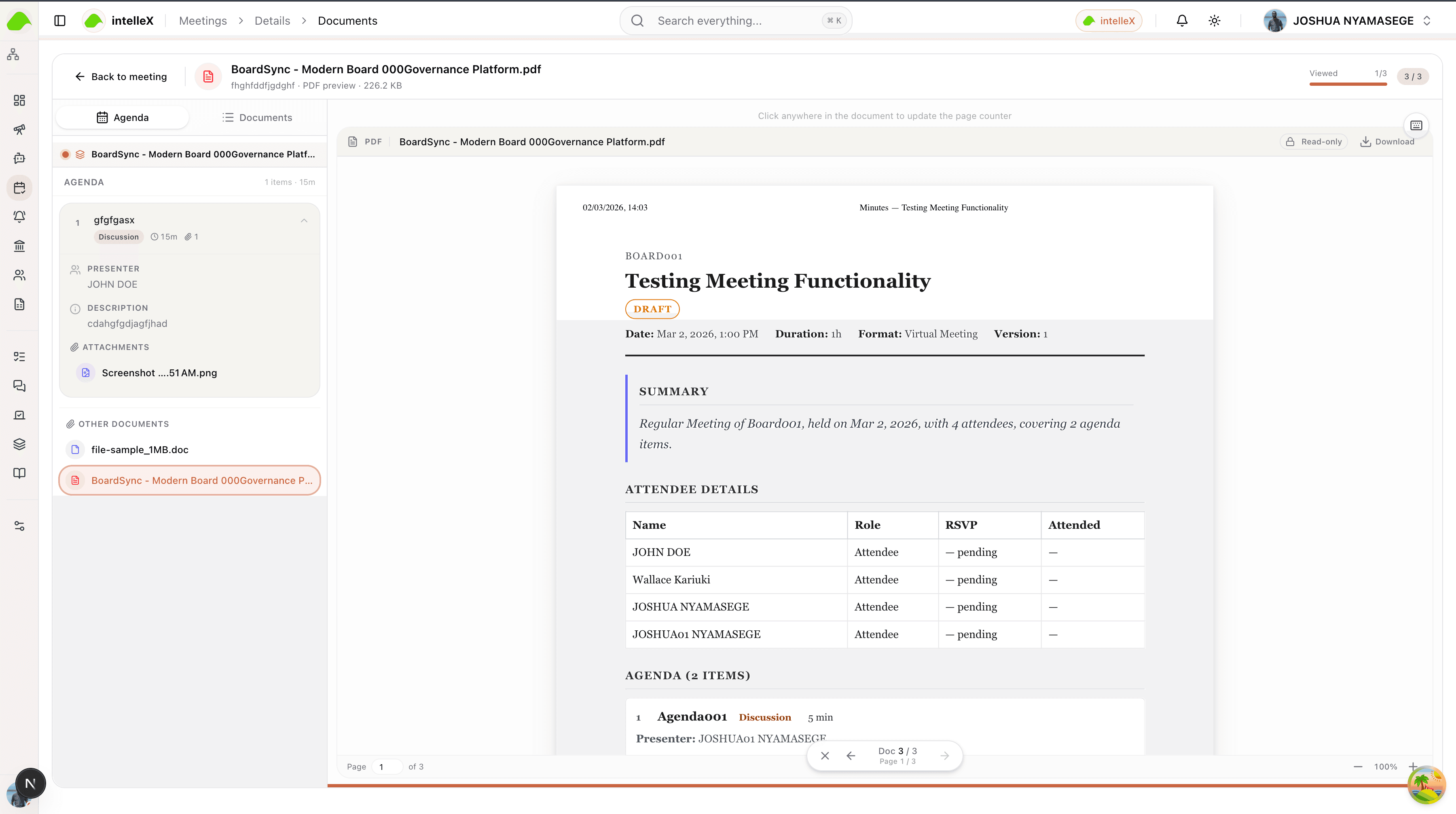
Prepare the meeting
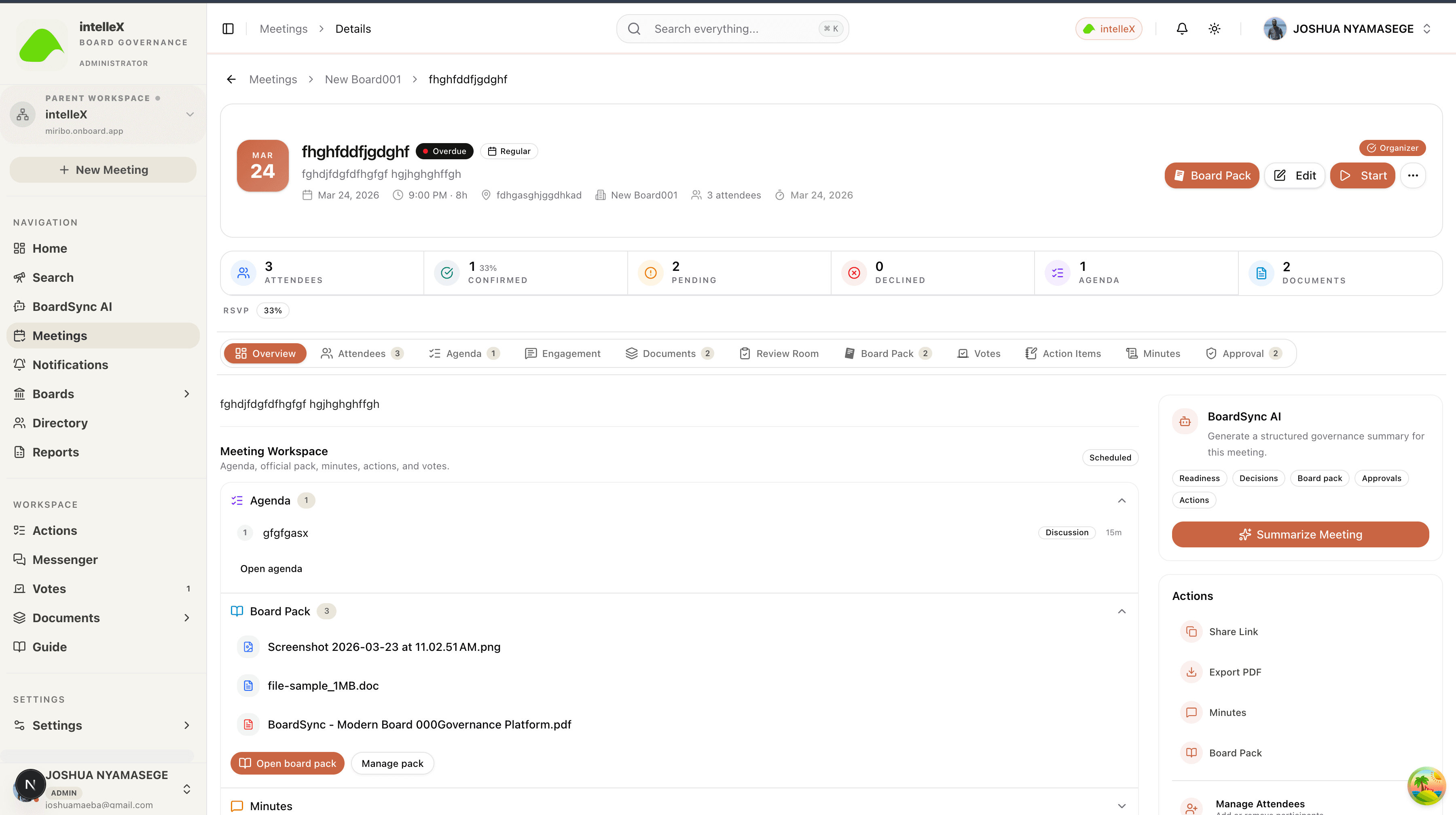
Schedule meetings, build agendas from templates, assign agenda owners, invite attendees, and collect supporting files in the right board or committee context.
Review before approval
Internal reviewers can comment by agenda item, request corrections, approve draft materials, and mark the board pack ready for formal approval.
Dive into the record
Every material, vote, report, approval, download, and action item is connected to a governance record that administrators can inspect and export.
Board packs
Evidence 1Publish official versions, track director review, open the secure viewer, and export governed PDF bundles when records are required.
Votes and resolutions
Evidence 2Run e-votes, preserve voting records, capture outcomes, and connect signed resolutions to the meeting record.
Reports and audit logs
Evidence 3Export attendance, minutes, actions, votes, document governance, composition, and audit evidence as PDF or styled Excel.
Export the official record.
Reports, board packs, attendance evidence, minutes, votes, and audit logs can be exported with tenant identity and governance controls intact.
Empower governance teams
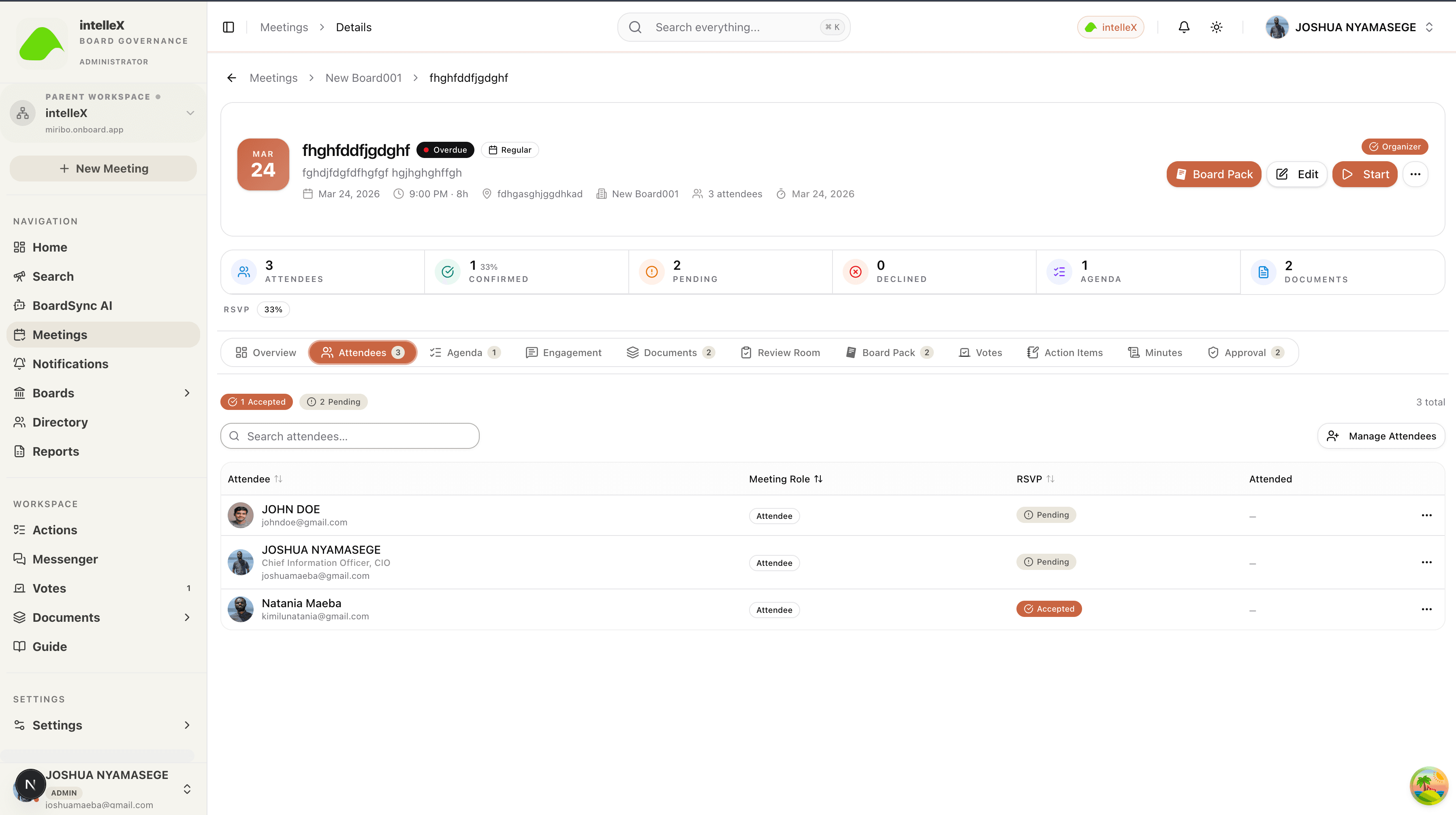
The board office, directors, committee members, guests, and administrators work from the same controlled source of truth without losing separation of duties.
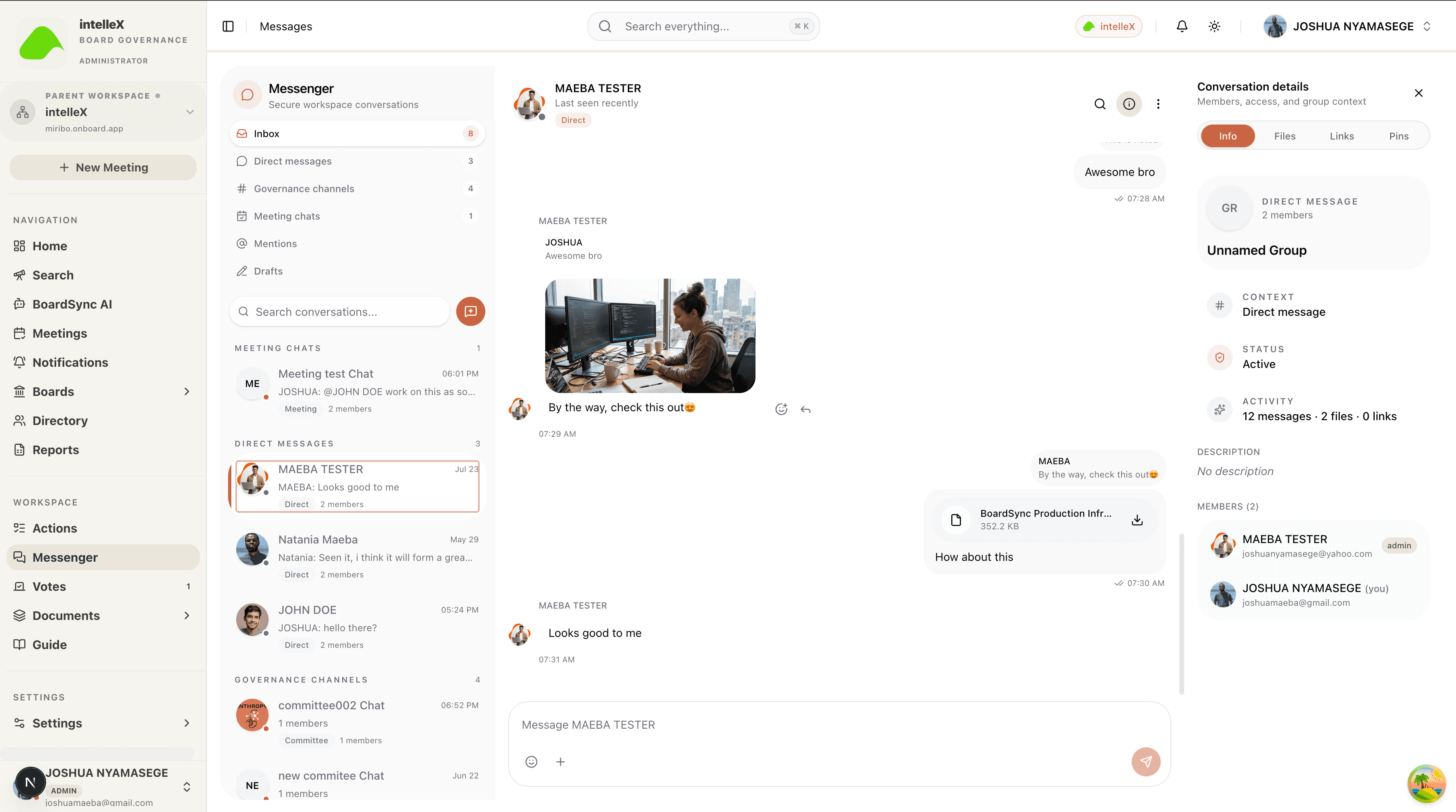
Governance communications
Use direct and group messaging, mentions, polls, attachments, and profile-aware conversation views without leaving the board workspace.
Open workspaceBoard pack readiness
Q3 Finance Strategy
Minutes and actions
Capture minutes, assign actions, track signatures, monitor closure discipline, and keep follow-up work visible after the meeting ends.
Approval discipline
Route meetings through material review and formal approvals before board packs are distributed to directors.
Enterprise trust layer
Security and governance are built in.
The platform is designed around tenant boundaries, permission-aware experiences, scoped data access, and records that can survive audit scrutiny.
Governance modules
BoardSync's modules work together as one system: preparation, review, decision, execution, records, and oversight.
For administrators and corporate secretaries running the meeting lifecycle.
For board and committee members reviewing material and making decisions.
For tenant admins and system administrators who need evidence and oversight.
Frequently asked questions
Bring your board work into one secure workspace.
Sign in to continue governance work, or open the system administration console to configure tenants, modules, users, and platform controls.